I’ll be honest — I have zero self-control when it comes to YouTube Shorts. It doesn’t matter if I’m working or casually watching TV; the moment one short grabs my attention, I’m pulled straight into an endless scroll I didn’t really sign up for. And that’s the last thing I need when I’m trying to stay focused. Back in October last year, YouTube introduced a timer to help limit how long you spend on Shorts. It was helpful, but it didn’t quite solve the problem. Now, there’s finally a way to remove Shorts from your feed altogether. I had to try it for myself, and safe to say, it makes a real difference. Here’s how you can get rid of Shorts from your feed and keep the distractions at bay.
How to remove it?
Here’s how you can get rid of the Shorts feed on YouTube:
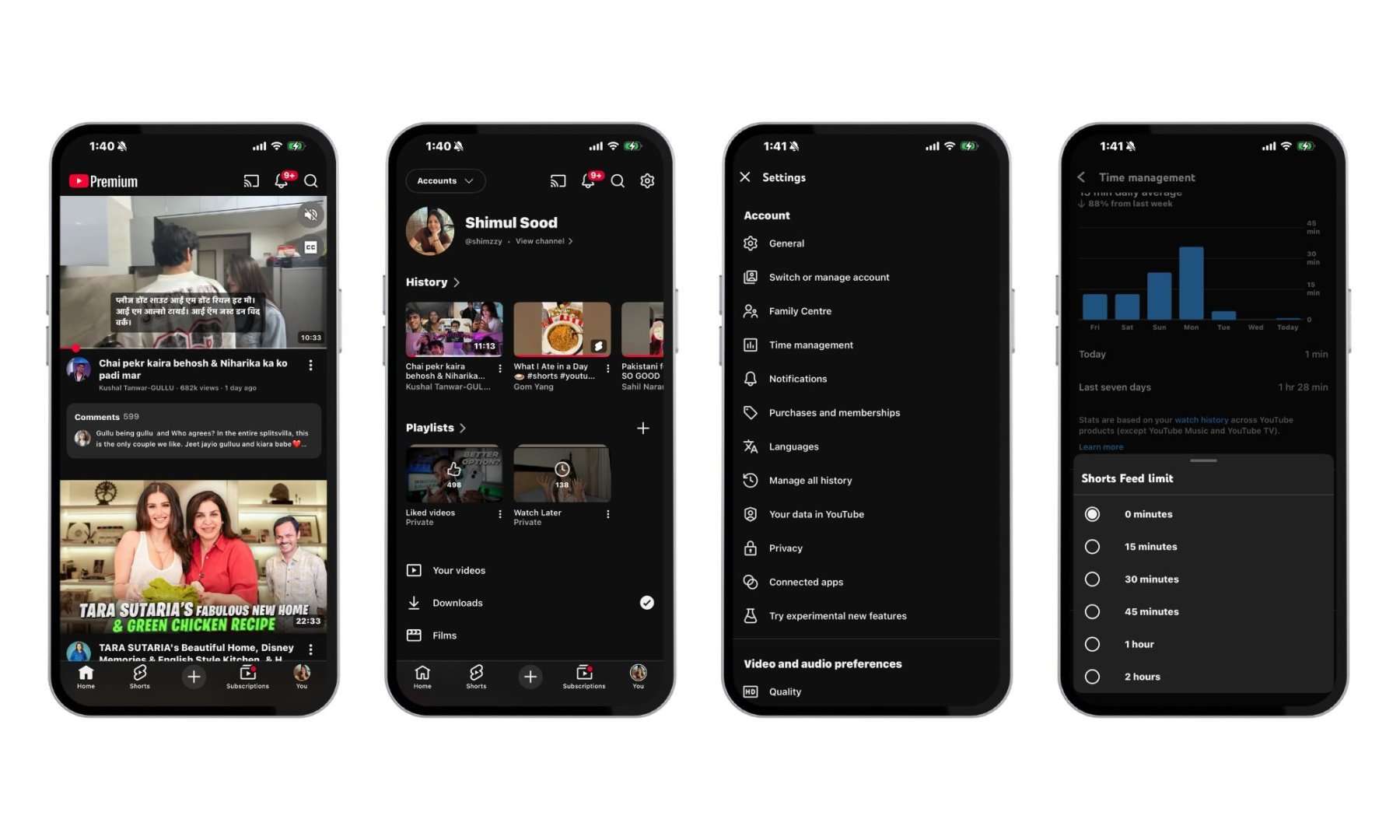
- Open the YouTube app on your phone.
- Tap your Profile icon in the bottom-right corner.
- Navigate to the Settings icon in the upper-right corner.
- Then, select Time management.
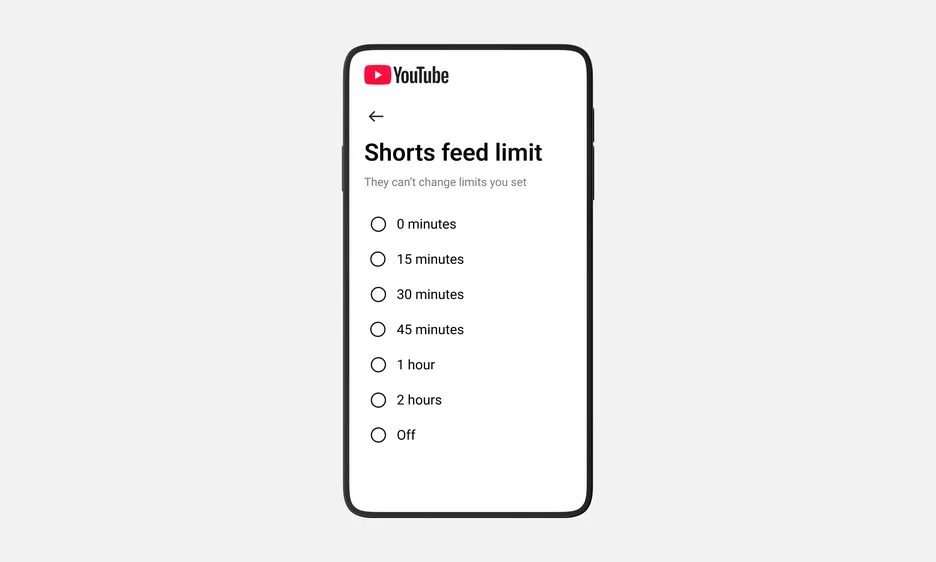
- Scroll down to the Daily limits section and tap on Shorts feed limit.
- Set it to 0 minutes.
Once this is done, tapping the Shorts tab will display a message indicating you’ve reached your limit. More importantly, Shorts will also disappear from your main feed, leaving you with just long-form videos to browse.
Breaking up with Shorts because my attention span deserves better
This is one of those features that really feels useful, especially for someone like me. I know myself well enough to admit that the moment I open YouTube, I’ll end up watching whatever Short shows up first. One video turns into ten, then twenty, and before I know it, I’ve lost track of time completely.
It’s taken a noticeable toll on my screen time, and more importantly, on my attention span. I’ve caught myself wanting everything to be quick and bite-sized, which isn’t how I want to consume content or train my brain. There have even been nights when I’ve done nothing but scroll endlessly through Shorts, and it’s not a habit worth keeping. That’s why this feature feels like a small but meaningful fix. It doesn’t just limit usage; it removes the temptation altogether, making it far easier to stay in control.
If you don’t see it on your device yet, don’t worry. It’s still rolling out gradually across regions, so it might take a little time to show up. But once it does, it’s absolutely worth turning on. It’s a simple switch, but it can make your YouTube experience feel a lot better.